



 MENU
MENUFieldView 2026 R1 marks a major step forward for automation and post-processing, bringing Python scripting into the heart of FieldView alongside finer control over transparency rendering.
Introducing PyFieldView
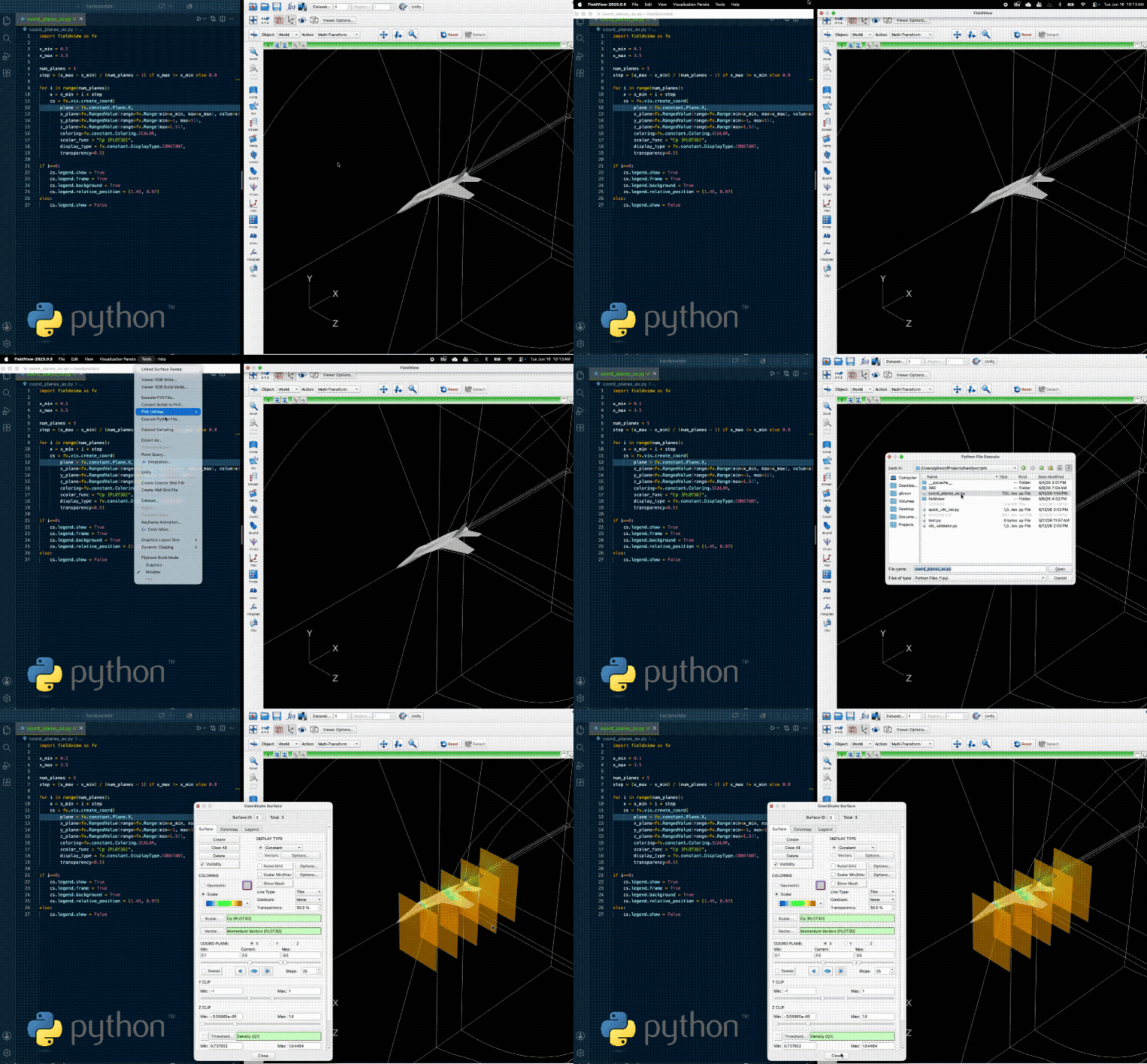
The headline of this release is PyFieldView, a new Python API embedded directly in FieldView. It gives you complete programmatic access to FieldView’s capabilities from Python, so the visualization, post-processing, and quantitative analysis you’d normally perform through the interface can now be scripted with a modern, maintainable language.
PyFieldView is designed specifically for FieldView workflows and supports both interactive and batch execution. Run it interactively to automate part of your process while you keep working, or run it in batch for hands-off image generation, data extraction, and large-scale analysis. It builds on everything we learned developing PyTecplot, our Python API for Tecplot 360, and brings that same Python-native approach to FieldView.

Related Webinars
Introducing PyFieldView: Modern Python Workflows for FieldView
PyFieldView Training:
Python-Powered CFD Post-Processing
Existing FVX workflows remain fully supported, so nothing you’ve already built stops working. PyFieldView simply gives you a modern path for new automation and customization projects, and our support team is glad to help you migrate existing FVX workflows whenever you’re ready. PyFieldView is included with FieldView for users with active maintenance.
Connect FieldView to the Python Ecosystem
PyFieldView does more than automate FieldView. It opens FieldView to the wider world of scientific Python. You can export your CFD data to libraries such as NumPy, PyTorch, and other scientific computing tools for custom analysis, machine learning, and AI workflows, then bring derived quantities back into FieldView for visualization and further investigation.
This makes FieldView a natural part of the modern engineering pipeline, where post-processing, automation, and AI increasingly work together. Rather than treating visualization as a final step, you can weave FieldView directly into the analysis and model-building loop.
Easier Transparency Tuning with OIT
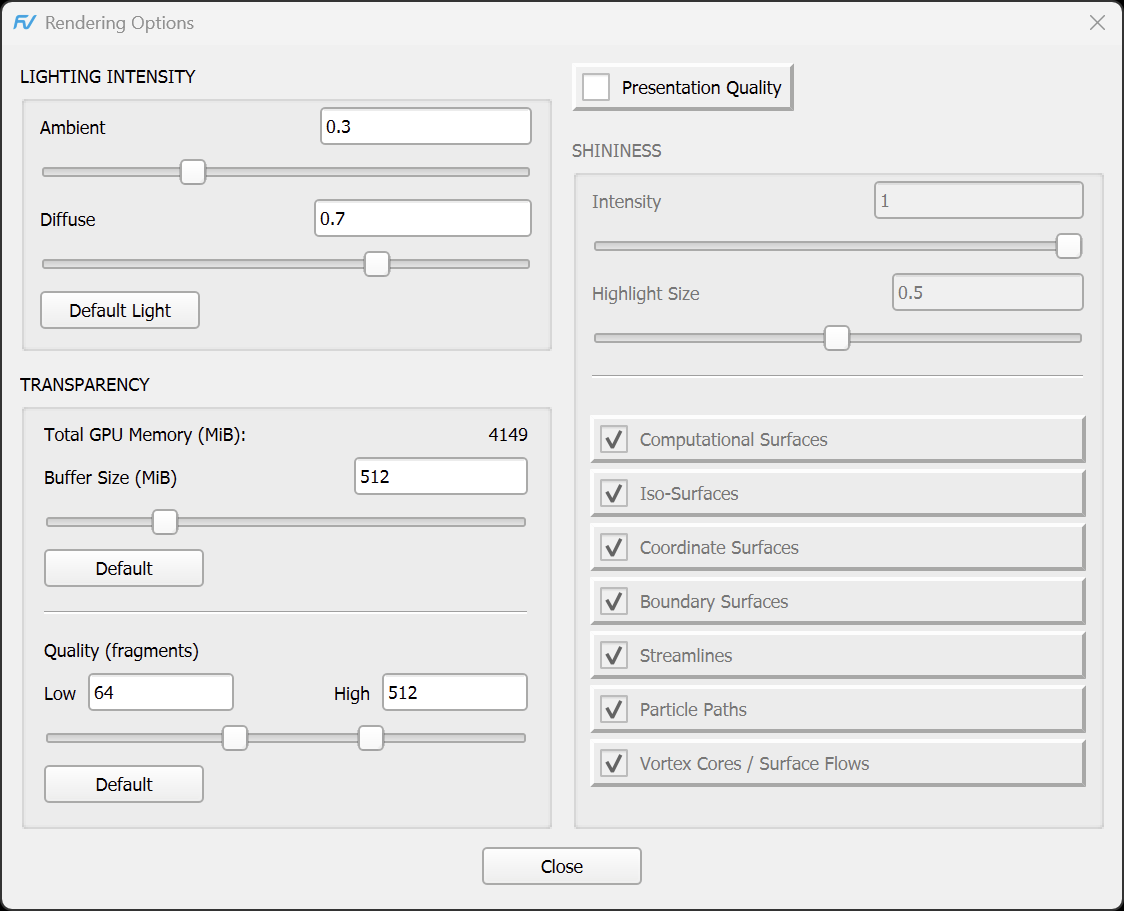
Order Independent Transparency, introduced in FieldView 2025, renders overlapping transparent surfaces both accurately and efficiently. FieldView 2026 R1 makes it easier to tune by exposing the transparency quality settings directly in the Rendering Options dialog.
Previously, these settings could only be configured through environment variables before launching FieldView. They can now be adjusted interactively during a live session, making it much simpler to balance rendering quality, responsiveness, and GPU memory usage for the scene in front of you. The settings now available directly from the Rendering Options dialog are:
- Total GPU Memory (MiB) displays the amount of graphics memory available to the rendering system.
- Buffer Size (MiB) controls the amount of GPU memory reserved for transparency rendering.
- Quality (fragments) controls the number of transparent fragments sorted during rendering.
The environment variables introduced in FieldView 2025 remain fully supported.
Full Release Notes
For the complete list of new features, improvements, and resolved issues, see the full FieldView 2026 R1 release notes.
Contact Us
To experience everything this release offers, contact us or try FieldView 2026 R1 for free.