


 MENU
MENUBack in 2023, we published a blog that asked a simple question: can ChatGPT write PyTecplot scripts?
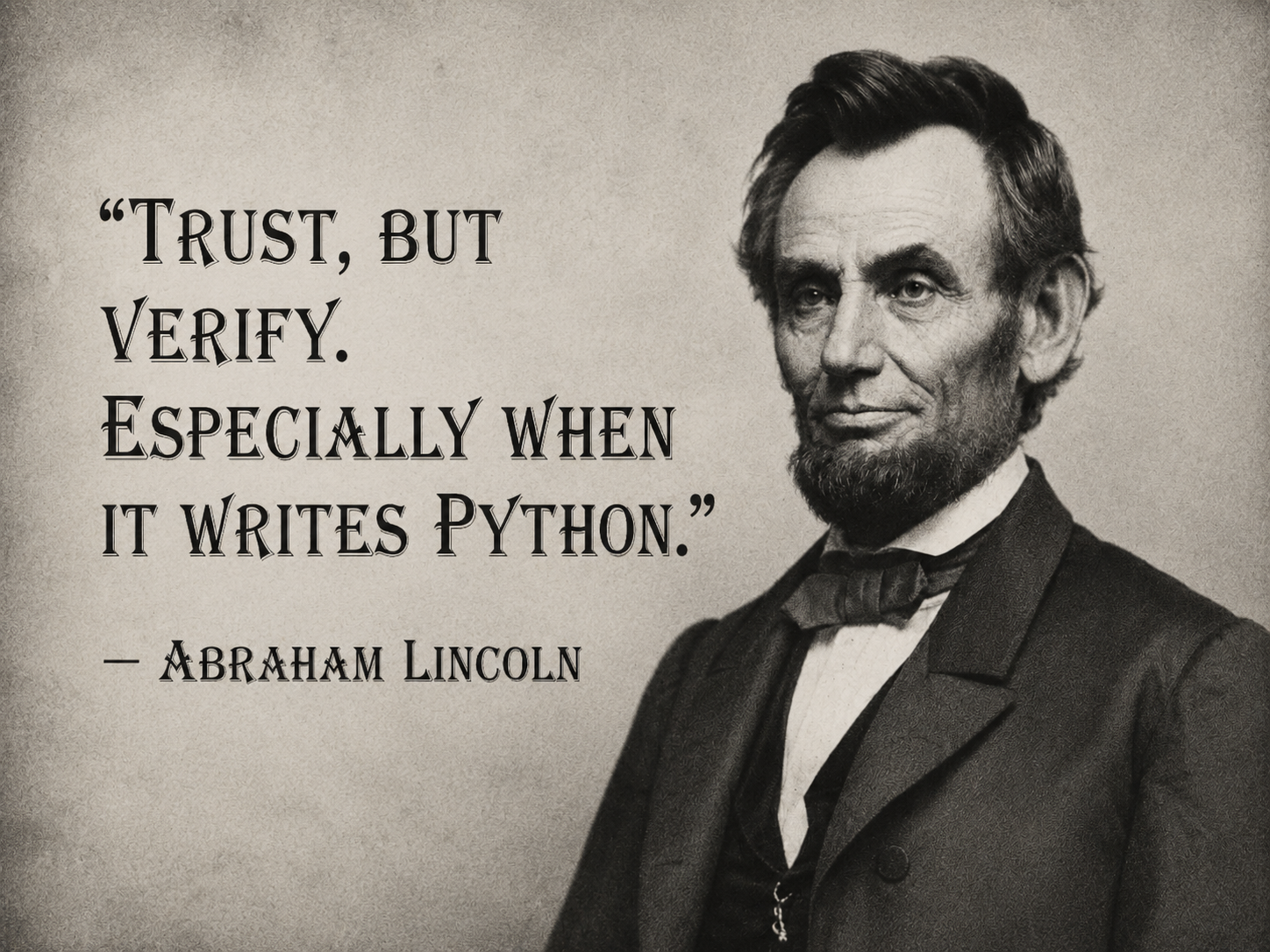
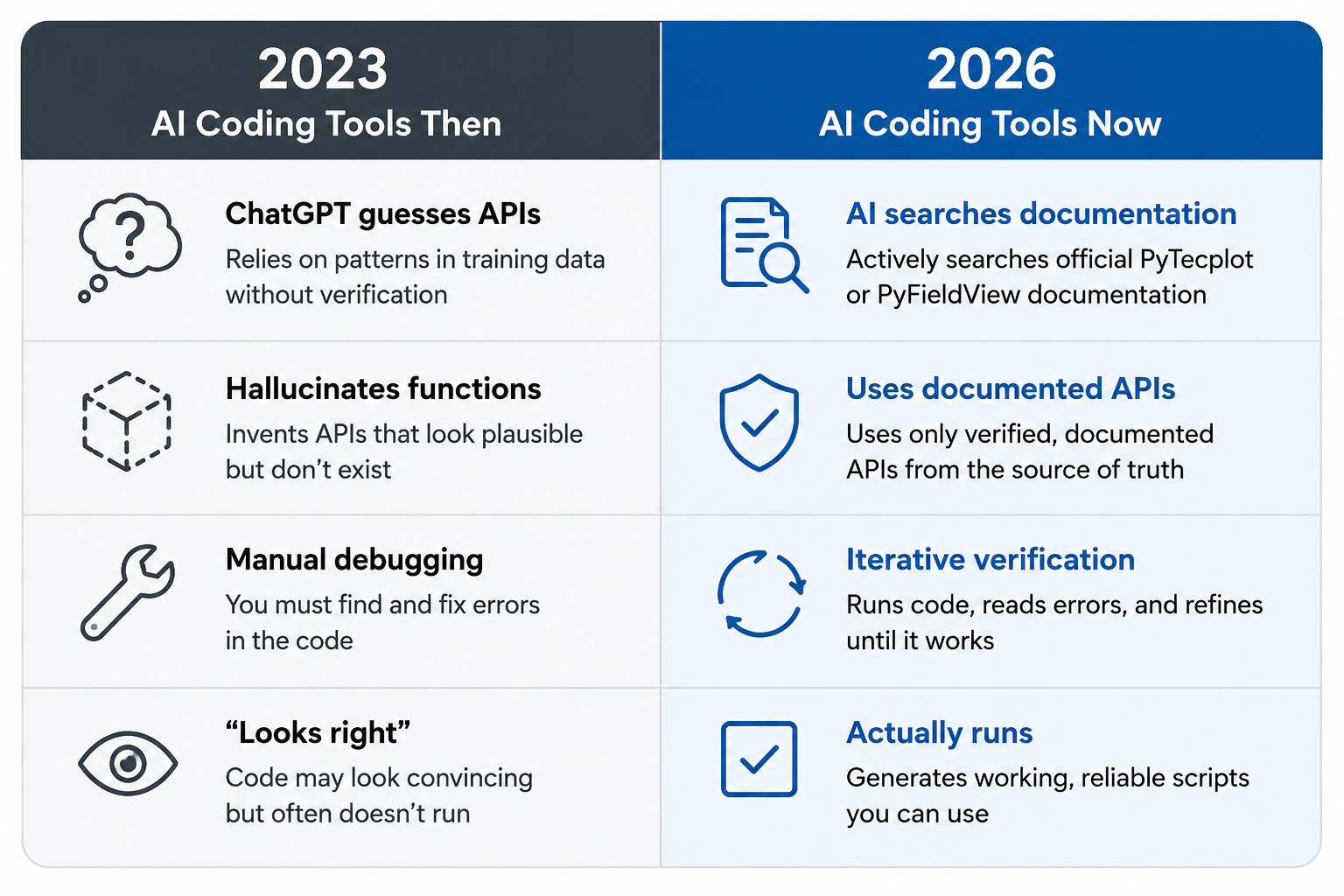
The honest answer at the time was no. The scripts looked convincing, using a Python-like syntax and referencing real Tecplot concepts, but they also invented functions, called APIs that did not exist, and needed a knowledgeable user to debug whatever came back. ChatGPT could help, but it was not a dependable PyTecplot programming partner.
Three years later, AI coding agents will generate perfectly usable PyTecplot and PyFieldView scripts surprisingly quickly and accurately, provided they have access to high-quality documentation and examples
Why AI Coding Tools Are Better Now
Today’s AI coding agents work differently from the chatbots of a few years ago.
Modern coding agents can search documentation, inspect example scripts, edit files, run code, read error messages, and revise their approach until something works. In practice, they behave less like a search engine and more like a junior developer who has been given access to your project and reference materials.
For CFD engineers and simulation analysts, AI tools can now be genuinely useful for building post-processing automation.
Many post-processing workflows follow recognizable patterns, such as: loading a dataset, displaying boundary surfaces, configuring contours, creating slices or iso-surfaces, adjusting styling, and exporting images or animations. When given working examples to start, AI agents can usually assemble these workflows quickly.
Why This Matters to CFD Engineers
We know that getting started with a new scripting API takes time: reading documentation, studying examples, and gradually building expertise. AI agents can dramatically shorten this learning curve.
Instead of starting with a blank script, you can describe your intent to the AI agent and the agent can author the script for you.
While this doesn’t eliminate the need for you to understand the code produced, it can significantly reduce the time spent learning the API details.
Hallucinated APIs Can Still Happen
Even with years of AI model improvements, agents can still generate APIs that do not exist. When AI agents predict code from patterns, without access to high-quality documentation, the agent may generate plausible-looking calls such as:
frame.create_slice()


dataset.export_png("image.png")
These look reasonable, but do not exist in the API. The most effective way to prevent this is to make the agent verify its work against authoritative documentation before writing the code. This is where documentation quality becomes critical.
The Real Requirement: Good Documentation
One common misconception is that AI coding tools work entirely from memory. In reality, modern coding agents perform best when they can search documentation, inspect examples, and verify APIs *before* generating code.
For engineering software like Tecplot 360 and FieldView, this is especially important because APIs are specialized and unique to the domain. High-quality documentation can give the AI agent insight into terms like slices, boundary surfaces, and Q-Criterion.
By pointing the AI agent to curated examples and vetted documentation you’ll get better results than relying on a generic AI model trained on open-source information spread across forums, mailing lists, and bug-reports, which may or may not be a valid source of truth for the AI to use when generating scripts.
This is where PyTecplot and PyFieldView excel – we’ve written our documentation with humans and AI in mind. The HTML documentation is well organized, thorough, and provides a source of truth for an AI agent to write scripts.
How to Get Better PyTecplot Results
The single most important piece of advice, then, is this:
Do not ask an AI tool to write a PyTecplot script in isolation, but give it the documentation and examples first.
All PyTecplot documentation and examples are installed with Tecplot 360 in the pytecplot folder inside your installation directory (for example, C:\Program Files\Tecplot\Tecplot 360 EX 2025 R2\pytecplot on Windows, or a similar path on Linux/Mac). If your coding agent supports workspaces, add that folder so the agent can search the API and inspect real examples before generating code. It also helps to point the agent at Tecplot 360’s Handy Scripts repository, since AI tools tend to do better modifying a working example than writing something from scratch.
Here is a prompt you can adapt and reuse:
I want to write a PyTecplot script. Before writing any code, search the installed PyTecplot documentation and examples in <path-to-your-Tecplot-360-installation>/pytecplot, and look for relevant examples in the Tecplot Handy Scripts repository. Then write a script that loads my dataset, creates a 3D plot, colors the surface by a variable I specify, adds a slice, and exports a PNG. Use only documented PyTecplot APIs, start from the closest existing example, do not invent API calls, and if you are unsure whether an API exists, search the documentation first.
What About PyFieldView?
The same approach now applies to FieldView users as well. FieldView 2026 R1 introduces PyFieldView, a fully embedded Python API that gives you complete programmatic access to FieldView’s capabilities. AI tools do not need years of public examples to become useful with a new API; what they need is accurate documentation, example scripts, and clear instructions. Because the PyFieldView documentation and examples ship with the release, your coding agent can search them and start helping you build FieldView automation right away, in much the same way it already helps with PyTecplot.
The Takeaway
The lesson holds across both tools: documentation-grounded AI is far more reliable than memory-based AI. The most useful way to think about your coding agent is as a new team member, so rather than simply handing it a task, give it the manual, the examples, and clear rules for using them. And if you would rather work with a human team member, the Tecplot staff are always here to help!